English
Style Reference
Info
This documentation is AI-generated. You can help improve it by submitting an Issue.
This documentation demonstrates the theme's basic styles, extended styles, and their syntax.
提示
The displayed styles are theme defaults; some styles can be adjusted according to actual needs.
Style Application Scope
详细信息
Related Documentation: Template Files and Access Path Mapping
- General Style Applies to every page.
- Content Style Applies to
archives.html,category.html,links.html,moments.html,moment.html,page.html,photos.html,post.html,tag.html,5xx.html, and404.html. CSS selector:.content. - Post Style Applies to
author.html,links.html,moment.html,moments.html,page.html,photos.html,post.html,qrcode.html,5xx.html, and404.html. CSS selector:article .content.
How to Use HTML Syntax in the Editor
详细信息
- Usage in the default editor:
- Need to enable Markdown / HTML Content Block Plugin (App Store Page).
- Type in the default editor
/htmland select to insert an HTML code block.
- Usage in Vditor editor:
- Need to enable Vditor Editor Plugin (App Store Page), and enter the post edit page, set the post editor to Vditor editor.
- Vditor editor natively supports HTML tags, just write directly.
- Usage in Willow Markdown editor:
- Need to enable Willow Markdown Editor Plugin (App Store Page), and enter the post edit page, set the post editor to Willow Markdown editor.
- Willow Markdown editor natively supports HTML tags, just write directly.
- Usage in ByteMD editor:
- Need to enable ByteMD Editor (App Store Page), and enter the post edit page, set the post editor to ByteMD editor.
- ByteMD editor natively supports HTML tags, just write directly.
Quick Reference for Extended Styles Extended Style
This section lists the extended styles implemented by this theme.
- Abbreviation
- Responsive Video Embed
- Blockquote Footnote
- Pullquote
- Horizontal Divider (Special Style)
- Hidden/Spoiler Content
- Light/Dark Mode Visibility Block
Italic/Emphasis General Style
Italic/Emphasis Markdown Syntax
markdown
*This is emphasized text*
_This is emphasized text_
Italic/Emphasis HTML Tag Syntax
html
<em>This is emphasized text</em>Italic/Emphasis Rendering Effect
Bold General Style
Bold Markdown Syntax
markdown
**This is bold text**
__This is bold text__
Bold HTML Tag Syntax
html
<strong>This is bold text</strong>Bold Rendering Effect
Inline Code General Style
Inline Code Markdown Syntax
markdown
`print("Hello, world!")`Inline Code HTML Tag Syntax
html
<code>print("Hello, world!")</code>Inline Code Rendering Effect
Multi-line Code Block General Style
Multi-line Code Block Markdown Syntax
markdown
```python
print("Hello, world!")
```

~~~python
print("Hello, world!")
~~~

````markdown
_Nested code block example_

```python
print("nested code block")
```
````
Multi-line Code Block Rendering Effect
The rendering effect varies with the actual renderer (such as shiki, highlight.js), so no rendering demonstration is provided.
Paragraph General Style
Paragraph Markdown Syntax
markdown
This is a regular paragraph, testing text alignment and line height.This paragraph contains some common formatting like **bold**, _italic_ and `code`. According to your CSS, this text should have appropriate line height and alignment.

This is another paragraph, this is a\
line break.

and this is not a
line break.

Two trailing spaces at the end of this line
will also create a line break.

Empty lines are not displayed by default. If you enable `Post Page Styles - Post Page Styles - Optimize Empty Line Display in Article Paragraphs`, empty lines will be displayed.
Paragraph HTML Tag Syntax
html
<p>This is a regular paragraph that tests text alignment and line height. This paragraph contains common formatting such as <strong>bold</strong>, <em>italic</em>, and <code>code</code>. According to your CSS, this text should have appropriate line height and alignment.</p>Paragraph Rendering Effect
Citation Source General Style
Citation Source HTML Tag Syntax
html
From<cite>"Documentation Writing Guide"</cite>

From <cite>Documentation Writing Guide</cite>
Citation Source Rendering Effect
Superscript and Subscript General Style
Superscript and Subscript HTML Tag Syntax
html
Normal text<sup>superscript<sup>super superscript<sup>super super superscript<sup>super super super superscript</sup></sup></sup></sup>
Normal text<sub>subscript<sub>sub subscript<sub>sub sub subscript<sub>sub sub sub subscript</sub></sub></sub></sub>

Normal text<sup>superscript</sup>and<sub>subscript</sub>
Superscript and Subscript Rendering Effect
Small Text General Style
Small Text HTML Tag Syntax
html
This is Normal text <small>This is small text</small> This is Normal text

This is normal text <small>This is small text</small> This is normal text
Small Text Rendering Effect
Abbreviation General Style Extended Style
Abbreviation HTML Tag Syntax
html
This text contains an abbreviation, hover over it on devices that support hovering to see the tooltip:<abbr title="Hypertext Markup Language">HTML</abbr>

When <strong>the device does not support hover</strong> or the page is in <strong>print mode</strong>, the full term is displayed in parentheses after the abbreviation.
For example, on touch devices, the above "HTML" will automatically display as "HTML(Hypertext Markup Language)".

<abbr title="Hypertext Markup Language"><a href="https://example.com">HTML - This line will apply both a tag styles in posts, so there are two layers of underline</a></abbr>

<abbr title="I am a tooltip">This tag has a title attribute, so hovering over it will show a tooltip.</abbr>

<abbr>Actually <abbr>title</abbr> is optional</abbr>

<abbr>One layer <abbr>Two layers <abbr>Three layers <abbr>Four layers abbr tag nesting test </abbr></abbr></abbr></abbr>
Abbreviation Rendering Effect
Heading General Style
Heading Markdown Syntax
markdown
# Heading 1
## Heading 2
### Heading 3
#### Heading 4
##### Heading 5
###### Heading 6
Heading HTML Tag Syntax
html
<h1>Heading 1</h1>
<h2>Heading 2</h2>
<h3>Heading 3</h3>
<h4>Heading 4</h4>
<h5>Heading 5</h5>
<h6>Heading 6</h6>
Heading HTML Class Syntax
html
<div class="h1">Text using the h1 class</div>
<div class="h2">Text using the h2 class</div>
Heading Rendering Effect
Post Heading Style Post Style
Heading anchor links are available on post and single page templates: hovering over or focusing a heading reveals a clickable # before it; clicking navigates to that heading's anchor and updates the address bar URL. h2 headings display the anchor permanently; all other levels show it on hover or focus. On mobile (screen width below 640px), the anchor appears to the right of the heading text instead.
Post Heading Style Markdown Syntax
markdown
## Heading 2

### Heading 3

#### Heading 4

##### Heading 5

###### Heading 6
Post Heading Style HTML Tag Syntax
html
<h2>Heading 2</h2>
<h3>Heading 3</h3>
<h4>Heading 4</h4>
<h5>Heading 5</h5>
<h6>Heading 6</h6>
Post Heading Style Rendering Effect
Link in Heading General Style
Link in Heading Markdown Syntax
markdown
# [Link in Heading 1](https://howiehz.top)
## [Link in Heading 2](https://howiehz.top)
### [Link in Heading 3](https://howiehz.top)
#### [Link in Heading 4](https://howiehz.top)
##### [Link in Heading 5](https://howiehz.top)
###### [Link in Heading 6](https://howiehz.top)
Link in Heading HTML Tag Syntax
html
<h1><a href="https://howiehz.top">Link in Heading 1</a></h1>
<h2><a href="https://howiehz.top">Link in Heading 2</a></h2>
<h3><a href="https://howiehz.top">Link in Heading 3</a></h3>
<h4><a href="https://howiehz.top">Link in Heading 4</a></h4>
<h5><a href="https://howiehz.top">Link in Heading 5</a></h5>
<h6><a href="https://howiehz.top">Link in Heading 6</a></h6>
Link in Heading HTML Class Syntax
html
<div class="h1"><a href="https://example.com">Link in an h1 class element</a></div>
<div class="h2"><a href="https://example.com">Link in an h2 class element</a></div>
Link in Heading Rendering Effect
Link Content Style
Link Markdown Syntax
markdown
[This is a regular link](https://example.com) with an underline effect. The underline color changes on hover.Link HTML Tag Syntax
html
<a href="https://example.com">This is a regular link</a> with an underline effect. The underline color changes on hover.Link Rendering Effect
Icon Link Content Style
html
<a class="icon" href="javascript:void(0);">This anchor uses `class="icon"` for icon-style links: no underline, with a color change on hover.</a>Icon Link Rendering Effect
Image Embed Post Style
Image Embed Markdown Syntax
markdown
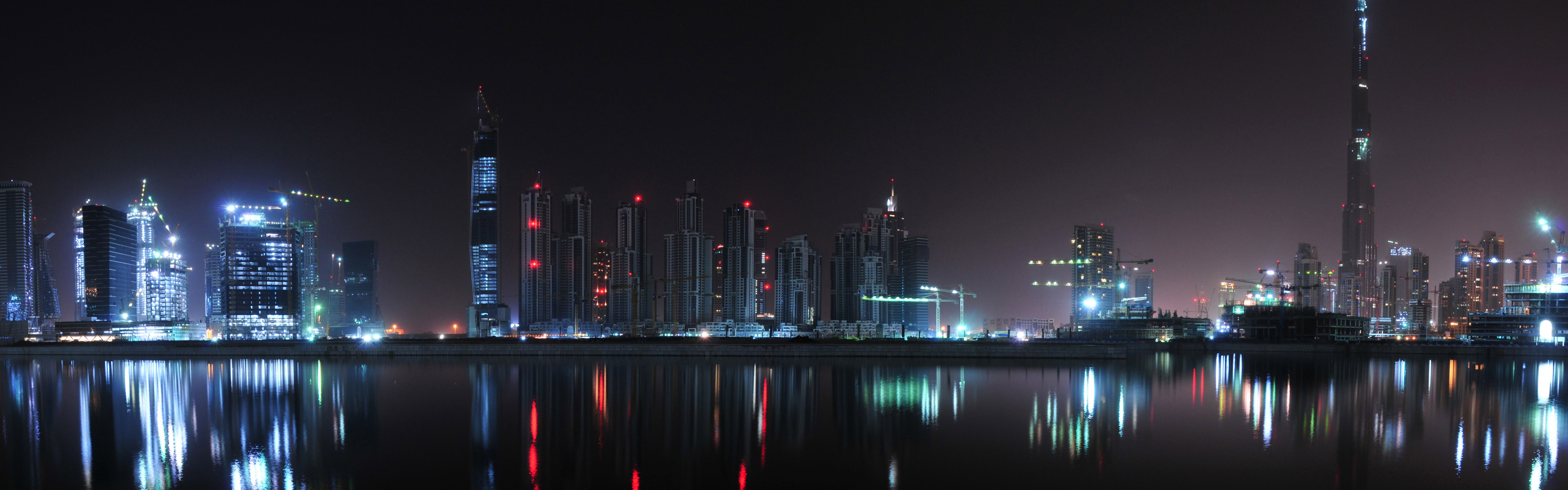
Image Embed HTML Tag Syntax
html
<p>
  <img
    src="https://probberechts.github.io/hexo-theme-cactus/cactus-dark/public/assets/wallpaper-2311325.jpg"
    alt="Alt text shown when the image fails to load"
  />
</p>

<p>
  <img
    src="https://probberechts.github.io/hexo-theme-cactus/cactus-dark/public/assets/wallpaper-878514.jpg"
    alt="Alt text shown when the image fails to load"
    title="Optional title text"
  />
</p>

<p>
  <img
    src="https://probberechts.github.io/hexo-theme-cactus/cactus-dark/public/assets/wallpaper-2572384.jpg"
    alt="cat"
  />
</p>
Image Embed Rendering Effect
Caption Post Style
Caption HTML Tag Syntax
html
<p><img src="https://probberechts.github.io/hexo-theme-cactus/cactus-dark/public/assets/wallpaper-878514.jpg" alt="cat" /></p>

<div class="caption">This is image caption text. The image above shows a city skyline at night.</div>
<figcaption>This is image caption text. The image above shows a city skyline at night.</figcaption>
<div class="caption">This is also image caption text with <a href="https://probberechts.github.io/hexo-theme-cactus/cactus-dark/public/assets/wallpaper-2572384.jpg">a link</a>.</div>
<figcaption>This is also image caption text with <a href="https://probberechts.github.io/hexo-theme-cactus/cactus-dark/public/assets/wallpaper-2572384.jpg">a link</a>.</figcaption>
Caption Rendering Effect
Responsive Video Embed Post Style Extended Style
Responsive Video Embed HTML Tag Syntax
提示
Wrap the embed in <div class="video-container"></div> so the video scales down with the page width. This approach is based on CSS: Elastic Videos - Web Designer Wall.
html
<div class="video-container">
  <iframe
    src="https://player.bilibili.com/player.html?bvid=BV1A7QWY3EkW&autoplay=0&poster=1&muted=1&danmaku=0"
    width="100%"
    height="500"
    scrolling="no"
    frameborder="0"
    framespacing="0"
    allowfullscreen="true"
    sandbox="allow-top-navigation allow-same-origin allow-forms allow-scripts"
  ></iframe>
</div>
Responsive Video Embed Rendering Effect
Blockquote Post Style
Blockquote Markdown Syntax
markdown
> Quoted content

> This is quoted content
>
> > This is nested quoted content
>
> This quoted content returns to the first level
Blockquote Rendering Effect
Blockquote Footnote Post Style Extended Style
Blockquote Footnote Markdown Syntax
markdown
> Quoted content
>
> <footer>Footnote information</footer>

> Quoted content
>
> <footer><cite>Author name</cite></footer>

> Quoted content
>
> <footer><a href="https://example.com">Author homepage</a></footer>

> This blockquote uses a specific color and font weight.
>
> <footer><a href="https://example.com">Author link</a><cite>Author name</cite></footer>
Blockquote Footnote Rendering Effect
Pullquote Post Style Extended Style
Pullquote HTML Tag Syntax
html
<div style="clear: both">

This is sample body text, exactly as you would expect: plain text for testing layout. This is sample body text, exactly as you would expect: plain text for testing layout. This is sample body text, exactly as you would expect: plain text for testing layout. This is sample body text, exactly as you would expect: plain text for testing layout.

<blockquote class="pullquote">

This is pullquote text. This is pullquote text. This is pullquote text. This is pullquote text. This is pullquote text. This is pullquote text. This is pullquote text.

</blockquote>

This is more sample body text, exactly as you would expect: plain text for testing layout. This is more sample body text, exactly as you would expect: plain text for testing layout. This is more sample body text, exactly as you would expect: plain text for testing layout. This is more sample body text, exactly as you would expect: plain text for testing layout.

<blockquote class="pullquote left">

This is a left-aligned pullquote. This is a left-aligned pullquote. This is a left-aligned pullquote. This is a left-aligned pullquote. This is a left-aligned pullquote. This is a left-aligned pullquote. This is a left-aligned pullquote.

</blockquote>

This main text wraps around the pullquote on the left. It is long enough to show how surrounding text flows beside the floated quote. The quote occupies 45% of the available width, and the remaining text fills the rest of the line. This main text wraps around the pullquote on the left. It is long enough to show how surrounding text flows beside the floated quote. The quote occupies 45% of the available width, and the remaining text fills the rest of the line.

<blockquote class="pullquote right">

This is a right-aligned pullquote. This is a right-aligned pullquote. This is a right-aligned pullquote. This is a right-aligned pullquote. This is a right-aligned pullquote. This is a right-aligned pullquote. This is a right-aligned pullquote.

</blockquote>

This is another paragraph wrapping around a pullquote on the right. It also needs enough length to make the wrapping behavior visible. Right-aligned pullquotes use their own margin settings. This is another paragraph wrapping around a pullquote on the right. It also needs enough length to make the wrapping behavior visible. Right-aligned pullquotes use their own margin settings. This is another paragraph wrapping around a pullquote on the right. It also needs enough length to make the wrapping behavior visible.

</div>
Pullquote Rendering Effect
Unordered List General Style
Unordered List Markdown Syntax
markdown
- First list item
- Second list item
  - Nested list item
  - Another nested list item
- Third list item
Unordered List HTML Tag Syntax
html
<ul>
  <li>First list item</li>
  <li>
    Second list item
    <ul>
      <li>Nested list item</li>
      <li>Another nested list item</li>
    </ul>
  </li>
  <li>Third list item</li>
</ul>
Unordered List Rendering Effect
Ordered List General Style
Ordered List Markdown Syntax
markdown
1. First item
2. Second item
   1. Nested ordered item
   2. Another nested ordered item
3. Third item
Ordered List HTML Tag Syntax
html
<ol>
  <li>First item</li>
  <li>
    Second item
    <ol>
      <li>Nested ordered item</li>
      <li>Another nested ordered item</li>
    </ol>
  </li>
  <li>Third item</li>
</ol>
Ordered List Rendering Effect
Definition List General Style
Definition List HTML Tag Syntax
html
<dl>
  <dt>Term one</dt>
  <dd>Definition for term one</dd>
  <dt>Term two</dt>
  <dd>Definition for term two</dd>
</dl>
Definition List Rendering Effect
Table General Style
Table Markdown Syntax
markdown
| Algorithm   | Average Time Complexity | Space Complexity |
| ----------- | ----------------------- | ---------------- |
| Bubble Sort | O(n^2)                  | O(1)             |
| Merge Sort  | O(n log n)              | O(n)             |
| Quick Sort  | O(n log n)              | O(log n)         |
Table HTML Tag Syntax
html
<table>
  <thead>
    <tr>
      <th><p>Algorithm</p></th>
      <th><p>Average Time Complexity</p></th>
      <th><p>Space Complexity</p></th>
    </tr>
  </thead>
  <tbody>
    <tr>
      <td><p>Bubble Sort</p></td>
      <td><p>O(n^2)</p></td>
      <td><p>O(1)</p></td>
    </tr>
    <tr>
      <td><p>Merge Sort</p></td>
      <td><p>O(n\log n)</p></td>
      <td><p>O(n)</p></td>
    </tr>
    <tr>
      <td><p>Quick Sort</p></td>
      <td><p>O(n\log n)</p></td>
      <td><p>O(\log n)</p></td>
    </tr>
  </tbody>
</table>
Table Rendering Effect
Horizontal Divider General Style
Horizontal Divider Markdown Syntax
markdown
---Horizontal Divider HTML Tag Syntax
html
<hr />Horizontal Divider Rendering Effect
Horizontal Divider (Special Style) General Style Extended Style
Horizontal Divider (Special Style) HTML Class Syntax
html
<hr class="divide" />Horizontal Divider (Special Style) Rendering Effect
Hidden/Spoiler General Style Extended Style
Hidden/Spoiler HTML Tag Syntax
html
This text is visible. <hide class="blur">This hidden content should use the blur style.</hide> This text is also visible.
This text is visible. <spoiler class="blur">This hidden content should use the blur style.</spoiler> This text is also visible.

This text is visible. <hide class="black">This hidden content should use the black block style.</hide> This text is also visible.
This text is visible. <spoiler class="black">This hidden content should use the black block style.</spoiler> This text is also visible.

This text is visible. <hide>This hidden content is revealed on hover, focus, or text selection.</hide> This text is also visible.
This text is visible. <spoiler>This hidden content is revealed on hover, focus, or text selection.</spoiler> This text is also visible.
Hidden/Spoiler Rendering Effect
Long Word Test Content Style
Long Word Test HTML Tag Syntax
html
<p>This paragraph uses hyphens: auto to demonstrate automatic hyphenation. Supercalifragilisticexpialidocious is a very long English word that can be hyphenated in narrow containers. Pneumonoultramicroscopicsilicovolcanoconiosis is another long-word example. An extremely long English word</p>

<code>This text uses hyphens: manual and does not apply automatic hyphenation. Supercalifragilisticexpialidocious is a very long English word that will not be automatically hyphenated. Pneumonoultramicroscopicsilicovolcanoconiosis is another long-word example. An extremely long English word</code>
Long Word Test Rendering Result
Light/Dark Mode Visibility Block Post Style Extended Style
html
<div class="light">
  This content is shown only in light mode or auto mode when the light theme is active. Try switching the page theme.
</div>
<div class="dark">
  This content is shown only in dark mode or auto mode when the dark theme is active. Try switching the page theme.
</div>
Light/Dark Mode Visibility Block Rendering Effect
Mermaid Light/Dark Theme Adaptation
Default Editor
Method 1: Code block
Enable Mermaid Support.
In the default editor, insert a Code Block by typing / and selecting Code Block, set the language to Mermaid, and enter the diagram source as usual.
The theme automatically generates both light and dark versions of the diagram.
Notes:
- If you use a code-highlighting plugin such as Shiki, exclude Mermaid in that plugin's settings.
Method 2: Text Diagram plugin
Enable Mermaid Support.
Enable the Text Diagram plugin.
In the default editor, insert a Text Diagram block by typing / and selecting Text Diagram, set the language to Mermaid, and enter the diagram source as usual.
The theme automatically generates both light and dark versions of the diagram.
Method 3: HTML syntax with automatic light/dark rendering
Enable Mermaid Support.
This method uses HTML syntax. See How to Use HTML Syntax in the Editor.
Write the diagram once; the theme automatically generates both light and dark versions.
Example:
html
<div class="auto"><pre><code class="language-mermaid">
flowchart TD
    A[Christmas] -->|Get money| B(Go shopping)
    B --> C{Let me think}
    C -->|One| D[Laptop]
    C -->|Two| E[iPhone]
    C -->|Three| F[fa:fa-car Car]
</code></pre></div>
Method 4: HTML syntax with manually managed light/dark diagrams
Enable Mermaid Support.
This method uses HTML syntax. See How to Use HTML Syntax in the Editor.
Manually maintain separate diagrams for light and dark modes.
Example:
html
<div class="dark"><pre><code class="language-mermaid">
%%{init: { "theme": "dark" } }%%
flowchart TD
    A[Christmas] -->|Get money| B(Go shopping)
    B --> C{Let me think}
    C -->|One| D[Laptop]
    C -->|Two| E[iPhone]
    C -->|Three| F[fa:fa-car Car]
</code></pre></div>

<div class="light"><pre><code class="language-mermaid">
%%{init: { "theme": "light" } }%%
flowchart TD
    A[Christmas] -->|Get money| B(Go shopping)
    B --> C{Let me think}
    C -->|One| D[Laptop]
    C -->|Two| E[iPhone]
    C -->|Three| F[fa:fa-car Car]
</code></pre></div>
Vditor Editor
Enable the Vditor Editor plugin, then switch the post editor to Vditor.
Method 1: Markdown syntax with automatic light/dark rendering
Enable Mermaid Support.
Example:
markdown
```mermaid
flowchart TD
    A[Christmas] -->|Get money| B(Go shopping)
    B --> C{Let me think}
    C -->|One| D[Laptop]
    C -->|Two| E[iPhone]
    C -->|Three| F[fa:fa-car Car]
```
As shown above, write the diagram using the standard Markdown code block syntax.
Method 2: HTML syntax with automatic light/dark rendering
Enable Mermaid Support.
Write the diagram once; the theme automatically generates both light and dark versions.
Example:
html
<div class="auto">

```mermaid
flowchart TD
    A[Christmas] -->|Get money| B(Go shopping)
    B --> C{Let me think}
    C -->|One| D[Laptop]
    C -->|Two| E[iPhone]
    C -->|Three| F[fa:fa-car Car]
```

</div>
Method 3: HTML syntax with manually managed light/dark diagrams
Enable Mermaid Support.
Manually maintain separate diagrams for light and dark modes.
Example:
html
<div class="dark">

```mermaid
%%{init: { "theme": "dark" } }%%
flowchart TD
    A[Christmas] -->|Get money| B(Go shopping)
    B --> C{Let me think}
    C -->|One| D[Laptop]
    C -->|Two| E[iPhone]
    C -->|Three| F[fa:fa-car Car]
```

</div>

<div class="light">

```mermaid
%%{init: { "theme": "light" } }%%
flowchart TD
    A[Christmas] -->|Get money| B(Go shopping)
    B --> C{Let me think}
    C -->|One| D[Laptop]
    C -->|Two| E[iPhone]
    C -->|Three| F[fa:fa-car Car]
```

</div>
Willow Markdown Editor
Enable the Willow Markdown Editor plugin, then switch the post editor to Willow Markdown.
Notes:
- If you use a code-highlighting plugin such as Shiki, exclude Mermaid in that plugin's settings.
Method 1: Markdown syntax with automatic light/dark rendering
Enable Mermaid Support.
Example:
markdown
```mermaid
flowchart TD
    A[Christmas] -->|Get money| B(Go shopping)
    B --> C{Let me think}
    C -->|One| D[Laptop]
    C -->|Two| E[iPhone]
    C -->|Three| F[fa:fa-car Car]
```
As shown above, write the diagram using the standard Markdown code block syntax.
Method 2: HTML syntax with automatic light/dark rendering
Enable Mermaid Support.
Write the diagram once; the theme automatically generates both light and dark versions.
Example:
html
<div class="auto">

```mermaid
flowchart TD
    A[Christmas] -->|Get money| B(Go shopping)
    B --> C{Let me think}
    C -->|One| D[Laptop]
    C -->|Two| E[iPhone]
    C -->|Three| F[fa:fa-car Car]
```

</div>
Method 3: HTML syntax with manually managed light/dark diagrams
Enable Mermaid Support.
Manually maintain separate diagrams for light and dark modes.
Example:
html
<div class="dark">

```mermaid
%%{init: { "theme": "dark" } }%%
flowchart TD
    A[Christmas] -->|Get money| B(Go shopping)
    B --> C{Let me think}
    C -->|One| D[Laptop]
    C -->|Two| E[iPhone]
    C -->|Three| F[fa:fa-car Car]
```

</div>

<div class="light">

```mermaid
%%{init: { "theme": "light" } }%%
flowchart TD
    A[Christmas] -->|Get money| B(Go shopping)
    B --> C{Let me think}
    C -->|One| D[Laptop]
    C -->|Two| E[iPhone]
    C -->|Three| F[fa:fa-car Car]
```

</div>
ByteMD Editor
Enable the ByteMD Editor plugin, then switch the post editor to ByteMD.
Notes:
- If you use a code-highlighting plugin such as Shiki, exclude Mermaid in that plugin's settings.
Method 1: Markdown syntax with automatic light/dark rendering
Enable Mermaid Support.
Example:
markdown
```mermaid
flowchart TD
    A[Christmas] -->|Get money| B(Go shopping)
    B --> C{Let me think}
    C -->|One| D[Laptop]
    C -->|Two| E[iPhone]
    C -->|Three| F[fa:fa-car Car]
```
As shown above, write the diagram using the standard Markdown code block syntax.
Method 2: HTML syntax with automatic light/dark rendering
Enable Mermaid Support.
Write the diagram once; the theme automatically generates both light and dark versions.
Example:
html
<div class="auto">

```mermaid
flowchart TD
    A[Christmas] -->|Get money| B(Go shopping)
    B --> C{Let me think}
    C -->|One| D[Laptop]
    C -->|Two| E[iPhone]
    C -->|Three| F[fa:fa-car Car]
```

</div>
Method 3: HTML syntax with manually managed light/dark diagrams
Enable Mermaid Support.
Manually maintain separate diagrams for light and dark modes.
Example:
html
<div class="dark">

```mermaid
%%{init: { "theme": "dark" } }%%
flowchart TD
    A[Christmas] -->|Get money| B(Go shopping)
    B --> C{Let me think}
    C -->|One| D[Laptop]
    C -->|Two| E[iPhone]
    C -->|Three| F[fa:fa-car Car]
```

</div>

<div class="light">

```mermaid
%%{init: { "theme": "light" } }%%
flowchart TD
    A[Christmas] -->|Get money| B(Go shopping)
    B --> C{Let me think}
    C -->|One| D[Laptop]
    C -->|Two| E[iPhone]
    C -->|Three| F[fa:fa-car Car]
```

</div>
StackEdit Editor
Enable the StackEdit Editor plugin, then switch the post editor to StackEdit.
Notes:
- If you use a code-highlighting plugin such as Shiki, exclude Mermaid in that plugin's settings.
Method 1: Markdown syntax with automatic light/dark rendering
Enable Mermaid Support.
Example:
markdown
```mermaid
flowchart TD
    A[Christmas] -->|Get money| B(Go shopping)
    B --> C{Let me think}
    C -->|One| D[Laptop]
    C -->|Two| E[iPhone]
    C -->|Three| F[fa:fa-car Car]
```
As shown above, write the diagram using the standard Markdown code block syntax.