English
Quick Start
Info
This documentation is AI-generated. You can help improve it by submitting an Issue.
Simple Installation Process
- Visit the App Store page.
- Click the download button.
- Follow the File Distribution Instructions to select the theme package for your language.
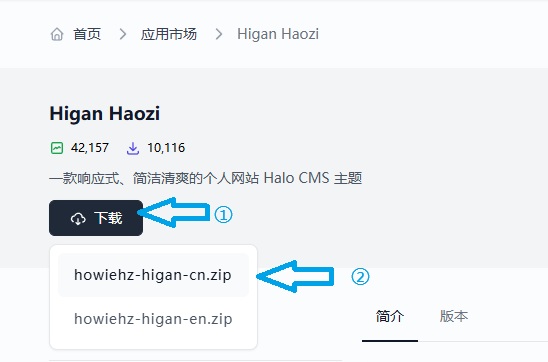
- Follow the prompts to complete the remaining installation steps.
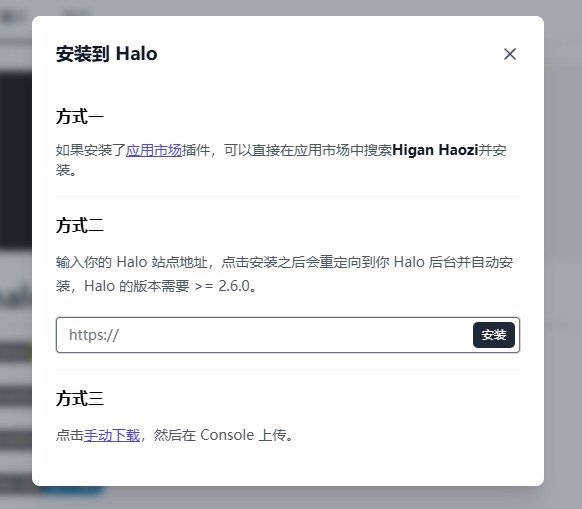
- Enjoy the theme! 😎
Next Steps
You can further explore:
- Style Reference: Showcases basic styles, extended styles, and their syntax.
- Theme Configuration: Overview of theme configuration options.
- Plugin Compatibility: Overview of theme-compatible plugins.